
 TRIP'N'AI
Your travel companion
Trip'n'AI — Plan with your favorite AI. Travel better.
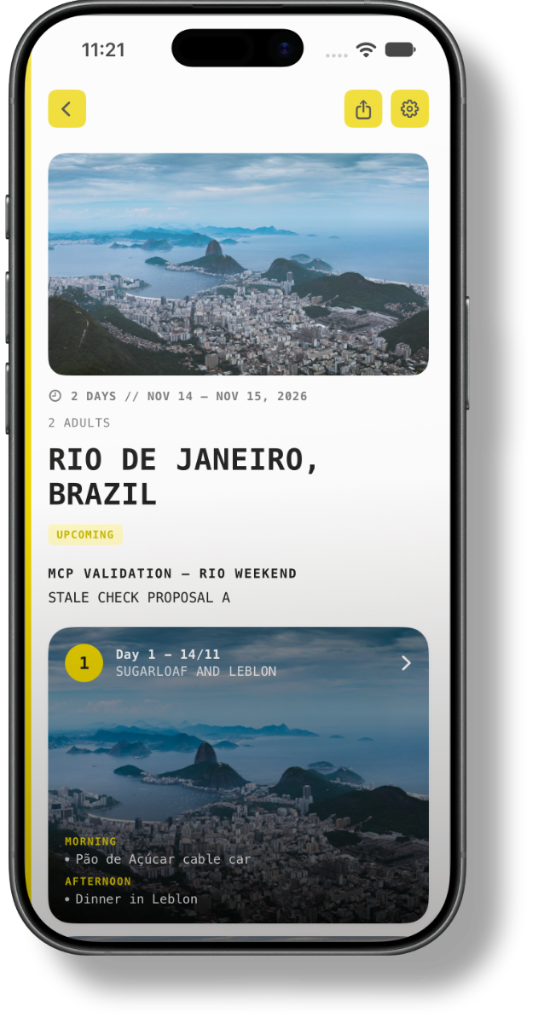
Trip'n'AI is an iPhone travel wallet for a day-by-day itinerary. Import a plan from ChatGPT, Claude, or Grok, or paste one from those assistants or from Gemini. It stays on your iPhone offline, with a Live Activity for today's trip and the next stop.
Explore public trips on tripnai.com, or open yours in the iPhone app.
LOADING TRIP...
Live-style airport board of sample TripnAI flights between destinations.
Make it yours
Import the plan.Keep it on iPhone.
Start a trip, bring in an itinerary from your assistant, or browse public trips for ideas.
01 · Start
Start a trip
Save a destination on your iPhone. The days can come from an assistant you already use.

02 · Import
Connector or paste
Connect ChatGPT, Claude, or Grok. You can also paste a plan, including one written in Gemini.
03 · Explore
Get inspired
Browse public itineraries other travelers have shared.
An iPhone travel wallet
Days, guests, budget, and documents live in the wallet on your iPhone.
Day-by-day plans
See each day, the stops, and what comes next.
Easy to edit
Change times, reorder stops, and add ideas when the plan changes.
Guests, budget, documents
Names, expenses, and files stay with the trip on your iPhone.
Your trips in one place
Upcoming trips and saved plans sit together in the wallet.
Plan with AI
Your assistant writes the plan
Trip'n'AI is not a separate chatbot. Plan in ChatGPT, Claude, Grok, or Gemini, then import or paste the itinerary into the app.
Ask
Ask
Tell your AI where you want to go and what you want to do.
Refine
Approve
Connector changes are proposed first and saved when you approve them.
Keep it
Keep it
The finished days stay in the iPhone wallet, ready for the trip.
Find your next idea
Get inspired by real trips.
Explore public itineraries from other travelers and discover new places, routes, and ideas for your next journey.

Dive into Bangkok’s timeless charm through historic temples, vibrant markets, royal palaces, street food, and festivals. This 3-day trip places you in the city’s heart, balancing iconic sites with authentic local experiences with a focus on cultural attractions and food. October in Bangkok coincides with the end of the rainy season and some local cultural events.

Roteiro de 7 dias para casal jovem com filho de 2 anos, explorando Amsterdã e região, com foco em passeios familiares, museus interativos, canais, parques e experiências culturais. Inclui atrações sazonais, dicas para famílias e sugestões de acomodação e alimentação. Atividades adaptadas ao ritmo de uma criança pequena.

Focused on surf, classic longboard spots, and camaraderie, this itinerary is crafted for a group of four surf-loving friends aged 40-48. Starting in Waikiki and moving to Oahu’s North Shore, it includes iconic surf breaks, scenic exploration, and local events, perfectly timed for your March 2026 trip.
Your next trip starts here.
Create your plan, bring in your ideas, and keep the journey organized from start to finish.
Plan trips. Travel better.